
By Marius Teleman · 3 July 2026
If there’s one department that still runs on manual, repetitive, error-prone work in 2026, it’s accounts payable. Invoices arrive as PDFs, get manually keyed into the system, matched against purchase orders, coded to the right G/L accounts, routed for approval — and somewhere between step 3 and step 7 someone fat-fingers a vendor code or misses a discount window.
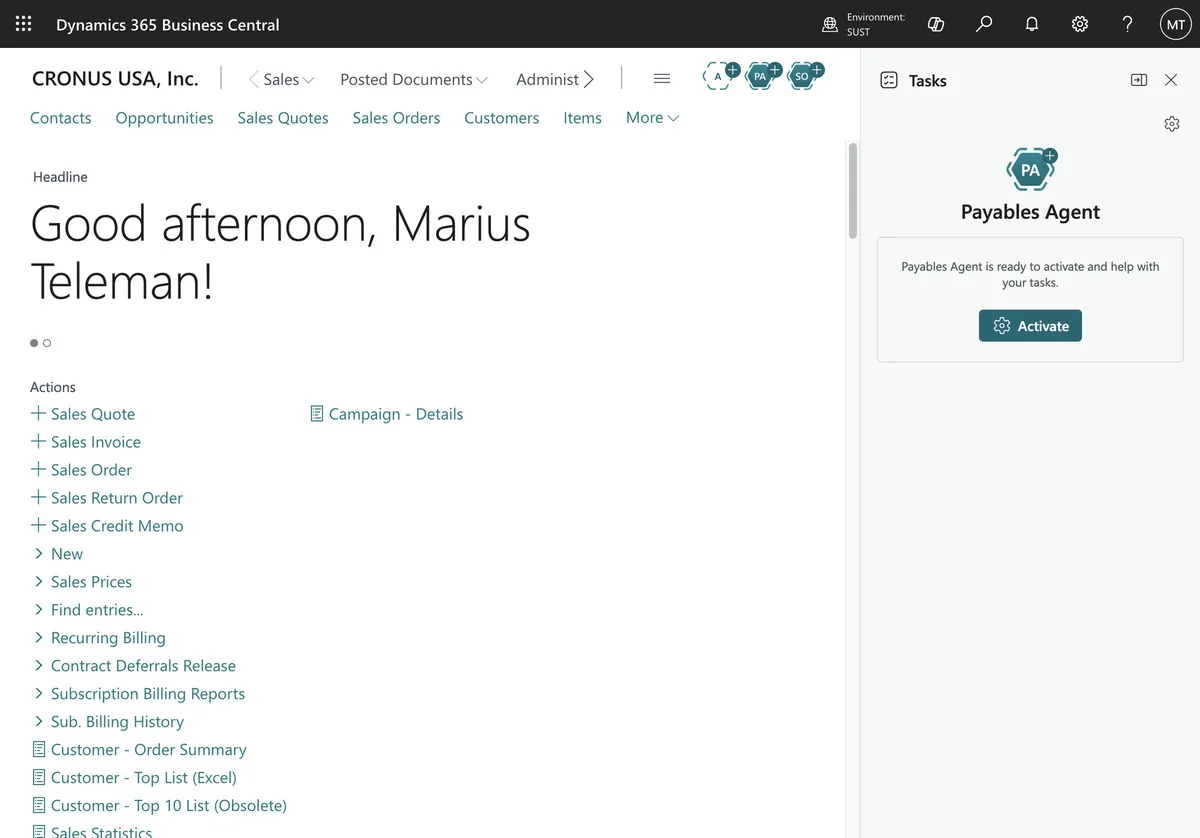
Microsoft’s answer — announced in the 2026 Release Wave 1 and now rolling out broadly — is the Payables Agent in Business Central. It’s not a Copilot chatbot. It’s an AI agent that sits inside your AP workflow and handles the most painful parts autonomously.
Here’s what it does, how to turn it on, and what it means for your finance team.
What the Payables Agent Actually Does
The Payables Agent performs four distinct tasks:
-
Invoice capture — Reads PDF invoices (email attachments, scanned documents, supplier portals) and extracts header-level data: vendor, invoice number, date, due date, amounts, currency, and line items.
-
G/L account suggestion — Proposes the correct G/L account and dimension combinations based on historical posting patterns for each vendor. It learns from your company’s actual data, not a generic model.
-
PO matching — When a purchase order exists, the agent matches invoice lines to PO receipts by item, quantity, and price within configurable tolerance thresholds. Partial matches are flagged for review.
-
Approval routing — Applies your existing approval workflows, but with enough context that approvers can review and approve directly from Teams or Outlook without opening Business Central.
The key word is agentic — it doesn’t wait for you to prompt it. The invoice arrives, the agent processes it, and a draft purchase invoice appears in BC ready for final review.
How to Deploy It
The Payables Agent is part of the Copilot & AI capabilities included with Business Central Premium and Team Member licenses. No separate licensing, no per-invoice pricing, no third-party integration required.
Prerequisites
- Business Central 2026 Release Wave 1 (v26) or later — SaaS only (not available on-premises)
- Azure OpenAI provisioned in your tenant (Microsoft handles this for BC SaaS)
- At least 50 posted purchase invoices per vendor (minimum training data for the AI to learn coding patterns)
Setup steps
- Enable the feature in Feature Management — search for “Payables Agent”
- Configure the email monitor — set up a shared mailbox (e.g.,
[email protected]) that the agent monitors for incoming invoices. Any PDF attachment triggers processing. - Set matching tolerances — define acceptable variances for quantity (±5% default) and price (±2% default) on PO-matched invoices
- Train the coding model — the agent analyses your last 12 months of posted purchase invoices to learn vendor → G/L account → dimension mapping. This runs once, then updates continuously.
- Configure approval routing — reuse or extend your existing approval workflows. The agent adds a summary card to each Teams/Outlook notification showing why it matched what it matched.
What the Payables Agent Cannot Do
Important boundaries:
| Capability | Status |
|---|---|
| Process scanned invoices (OCR) | ✅ Yes — built-in |
| Process PDF invoices | ✅ Yes |
| Match line items to PO receipts | ✅ Yes |
| Auto-post without human review | ❌ No — draft only, by design |
| Handle non-PO invoices (utilities, rent) | ✅ Yes — suggests G/L coding from history |
| Process multi-company invoices | ❌ Only within a single environment |
| Handle handwritten invoices | ⚠️ Low accuracy — review required |
| Replace your approval workflows | ❌ Complements, doesn’t replace |
The agent deliberately stops at “draft purchase invoice” status. Someone in finance must review and post. This is a control feature, not a limitation — Microsoft explicitly designed it so that nothing gets paid without a human in the loop.
What Happens to Your AP Team?
This is the question finance leaders actually ask. The honest answer: the Payables Agent doesn’t eliminate AP roles — it eliminates the parts of those roles that nobody enjoys.
A typical AP clerk spends 60–70% of their time on data entry, coding, and matching. The agent removes that 60–70%. What remains is:
- Exception handling — the 5–10% of invoices where the AI is uncertain
- Vendor relationship management — chasing missing invoices, resolving disputes, negotiating terms
- Cash flow optimisation — deciding payment timing, capturing early-payment discounts
- Process improvement — refining coding rules, updating approval workflows, analysing spend patterns
For a 3-person AP team, this doesn’t mean 3 people become 1. It means 3 people stop doing data entry and start doing the work that actually saves the company money.
Early-Payment Discounts: The Hidden ROI
Most companies leave money on the table — 2% net 10 discounts that expire because invoices sit in someone’s inbox for two weeks. The Payables Agent processes invoices on arrival, which means your team can approve and schedule payment within the discount window.
A company spending €2M/year on procurement with average 2/10 net 30 terms across 60% of suppliers that the agent now captures on time:
€2,000,000 × 60% × 2% = €24,000/year — from better cash management alone.
That exceeds the cost of the Payables Agent (included in BC Premium, which you’re already paying for) and probably covers a decent chunk of one AP team member’s salary.
How to Convince Your CFO
Three numbers to bring to the conversation:
- Time per invoice: Manual entry averages ~5 minutes. The agent takes ~30 seconds (review, not entry). At 500 invoices/month, that’s 37 hours saved.
- Error rate: Manual AP data entry has a ~1-3% error rate (wrong vendor, wrong amount, wrong coding). The agent reduces this to ~0.5% on the invoices it processes confidently.
- Discount capture: Calculate your potential using the formula above — multiply annual procurement spend × % of suppliers with early-payment terms × average discount rate.
FAQ
Does the Payables Agent work with non-Microsoft email systems?
Yes. The agent monitors a shared mailbox via Microsoft Graph. As long as the mailbox is in Exchange Online (part of Microsoft 365), the agent can access it. Invoices forwarded from Gmail, third-party portals, or scanned documents all work.
What languages does the invoice OCR support?
Microsoft’s document intelligence supports 100+ languages for extraction. The G/L coding suggestions and approval narratives are currently available in English, German, French, Spanish, Italian, and Dutch.
Can I use the Payables Agent without a purchase order workflow?
Yes. For non-PO invoices, the agent suggests G/L coding based on vendor history. You’ll need a higher review rate initially, but the system improves as it accumulates data.
How does the agent handle currencies?
It extracts currency from the invoice and suggests the appropriate currency code. If the invoice currency differs from the vendor’s default currency, the agent flags it for review. Exchange rates are pulled from the BC currency exchange rate table.
Is there a minimum invoice volume to make it worthwhile?
The agent starts to pay for itself at roughly 50 invoices/month — about 10 hours of manual AP work/month saved. Below that, the setup effort may exceed the immediate benefit, though the system still works.
Vanguard 360 Solutions implements, configures, and trains Business Central across Europe, the UK, and the Gulf. Talk to us about your AP automation →
Not sure if you're ERP-ready?
Take our 2-minute ERP Readiness Scorecard — no signup needed.
Take the scorecard →Get BC insights in your inbox
Practical tips — no spam, ever.
Thanks! Check your inbox.
Something went wrong. Please try again.